
You reboot your remote client’s Windows 10 machine into Safe Mode, and that’s where the big disappointment comes – you realize that for some strange reason the Wi-Fi connection is disabled. Most of the services you need are off and you’re having a hard time restoring Internet access. Does the symptom sound familiar? If so, chances are that you’ll find this quick guide useful. [Read more…] about How to Restore FixMe.IT Remote Session after Safe Mode Reboot on Windows 10
Tips & Tricks
How to Setup FixMe.IT Unattended Client on Windows 2012 Core Server
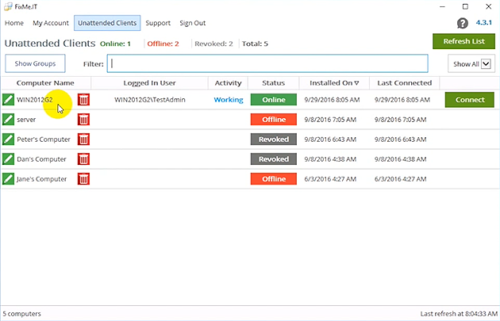
Unattended access is one of the key features to be found in a remote desktop application such as Techinline FixMe.IT. It provides you with maximum flexibility and brings ease of mind by letting you connect to a number of remote machines and work on them at any time, from any location, and without the client’s involvement.
Setting up the FixMe.IT Unattended Client on a remote client’s computer is easy. For that, you can either set it up from the Expert toolbar when starting a new support session, or run an installation file on a remote desktop. But what if you need to locally set up unattended access on a Windows 2012 Core server? That’s a bit trickier. Your client should have some advanced Command Line skills to make it happen, so let’s see how it can be done. [Read more…] about How to Setup FixMe.IT Unattended Client on Windows 2012 Core Server
How to Create a Desktop Icon for Any Windows Keyboard Shortcut
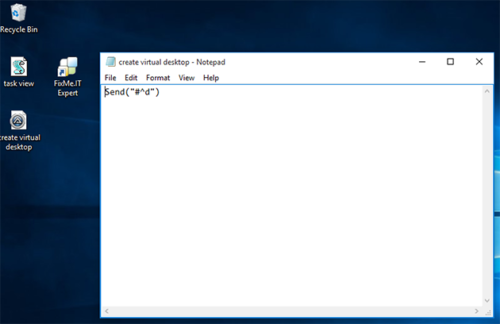
There’s an impressive amount of Windows 10 keyboard shortcuts that provide a much faster access to certain OS features, and chances are you apply most of them in your everyday work. But what if you want to be even more productive and put some of the vital Windows features just a click away by creating a desktop icon for a specific keyboard combination? [Read more…] about How to Create a Desktop Icon for Any Windows Keyboard Shortcut
How to Create Reports on FixMe.IT Remote Support Sessions
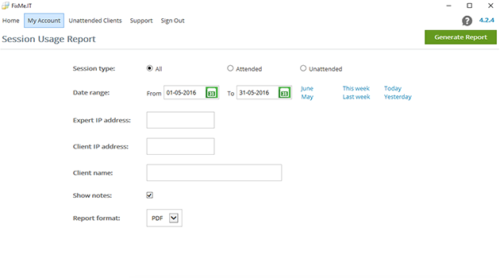
The ability to run session reports is a vital feature for any remote desktop tool on the market. It allows private IT practitioners to keep track of their own work, and helps CIOs and managers stay up-to-date on how and when the software is used by their teams. Therefore, if there’s something wrong with your organization’s support activity logs you’ll surely know about it. [Read more…] about How to Create Reports on FixMe.IT Remote Support Sessions
How to Install FixMe.IT Unattended Client on Multiple Remote Machines
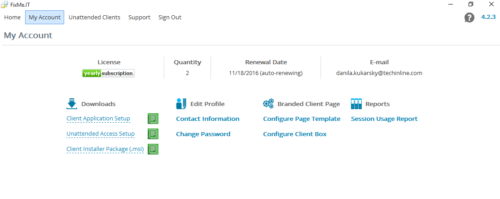
Unattended access is a time saving feature when it comes to managing remote computers without the client being present at their desktop. With a single FixMe.IT license, you can easily access and manage up to 150 workstations by installing the Unattended Client on each machine. Here’s a video tutorial describing the two ways to do that.
But what if you want to install the FixMe.IT Unattended Client on multiple remote computers at once rather than doing it manually on each individual machine? [Read more…] about How to Install FixMe.IT Unattended Client on Multiple Remote Machines
How to Setup Multiple Monitors & Navigate Between Them Remotely
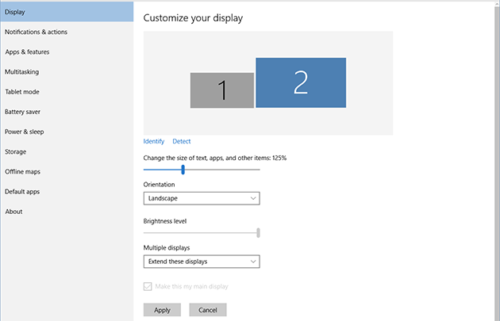
When it comes to in-person IT support, knowing how to setup multiple monitors is essential if you work with designers, coders, video editors, and others who need two or more screens to get their job done. As for remote access, multi-monitor navigation can be extremely helpful if you need to manage your computer that has multiple monitors while being away from the office.
In this blog post we’ll explain how to setup two or more screens in Windows 10, and will also provide a quick overview of Techinline FixMe.IT’s multi-monitor navigation capabilities. [Read more…] about How to Setup Multiple Monitors & Navigate Between Them Remotely