

• Skip to primary navigation
  • Skip to main content
  • Skip to primary sidebar
  • Skip to footer

Techinline Blog

Remote Support Software Explained

SetMe
Remote Support Software That Always Works
Free trial
Techinline Blog
  • Product
  • Features
  • Pricing
  • How It Works

Multi-monitor navigation

How to Get the Best Experience from FixMe.IT

November 29, 2018 by Dan Kukarsky

Getting the best experience from FixMe.IT remote desktop app

FixMe.IT is a remote support tool known for its ease of use and flexibility. If you’re new to FixMe.IT, watch the Expert app introduction video or take advantage of the tips below that to make your daily IT support routine as hassle-free as possible. [Read more…] about How to Get the Best Experience from FixMe.IT

Filed Under: Product, Tips & Tricks Tagged With: File sharing, Multi-monitor navigation, Reporting, Unattended access

How to Span Multiple Remote Displays across Your Local Monitors with FixMe.IT
May 15, 2018 by Dan Kukarsky

Multiple remote displays

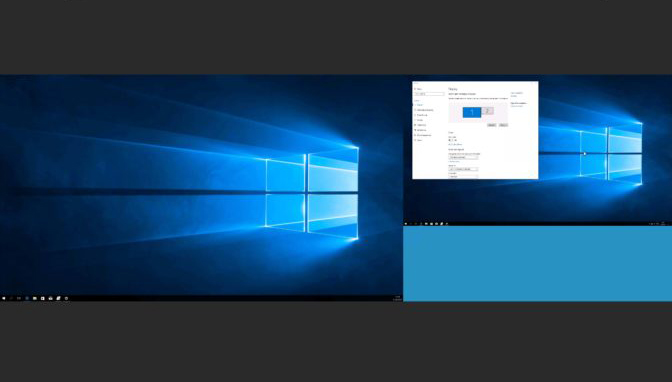
If the remote user has two or more monitors connected to their machine, all of them will show up on your local desktop in a single window by default. To choose an individual monitor to work with, you can take advantage of FixMe.IT’s multi-display tool. But what if you also have multiple displays connected to your workstation, and you want the remote monitors spanned across them? [Read more…] about How to Span Multiple Remote Displays across Your Local Monitors with FixMe.IT

Filed Under: Tips & Tricks Tagged With: FixMe.IT, Multi-monitor navigation

How to Setup Multiple Monitors & Navigate Between Them Remotely
May 11, 2016 by Dan Kukarsky

How to set up multiple monitors

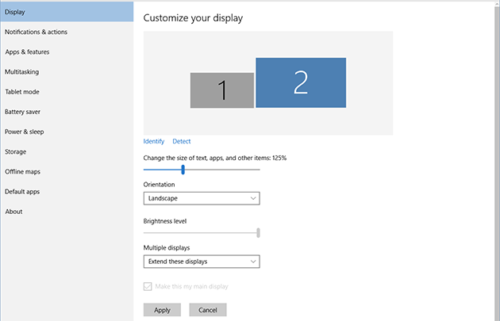
When it comes to in-person IT support, knowing how to setup multiple monitors is essential if you work with designers, coders, video editors, and others who need two or more screens to get their job done. As for remote access, multi-monitor navigation can be extremely helpful if you need to manage your computer that has multiple monitors while being away from the office.

In this blog post we’ll explain how to setup two or more screens in Windows 10, and will also provide a quick overview of Techinline FixMe.IT’s multi-monitor navigation capabilities.  [Read more…] about How to Setup Multiple Monitors & Navigate Between Them Remotely

Filed Under: Tips & Tricks Tagged With: Multi-monitor navigation, Windows 10

Primary Sidebar

Most Popular

Meet SetMe Solo: Ideal Pricing Plan for Individual & Small Businesses

New SetMe Features: In-Session Unattended Setup, Screen Blanking for Mac & More

SetMe's Unattended Access Is Here

New SetMe Feature: Disable Remote Input

Chrome Remote Desktop Review: The Pros & Cons

Best Remote Desktop Software for Mac in 2024

Follow Us

Recent Posts

  • Multi-Factor Authentication (MFA) in Remote Access Software October 16, 2025
  • How to Disable Automatic Updates on Windows 11 (Step-by-Step 2025 Guide) September 26, 2025
  • 5 Things to Know About Remote Desktop Software in 2025 September 17, 2025
  • Unattended Access: Use Cases & Benefits September 15, 2025
  • How to Remove Built-In Windows 11 Apps September 2, 2025
  • Fix Unmountable Boot Volume Error in Windows 10 & 11 (2025 Guide) August 26, 2025

Footer

Product

  • Features
  • Pricing
  • How It Works
  • Security

Resources

  • Product Roadmap
  • Help Center

Try It Free

Do you enjoy reading our posts? You might also like our remote support app. Give it a try, it's free for 15 days:

Try SetMe Free

© 2025 · Techinline Ltd. · Built on the Genesis Framework