
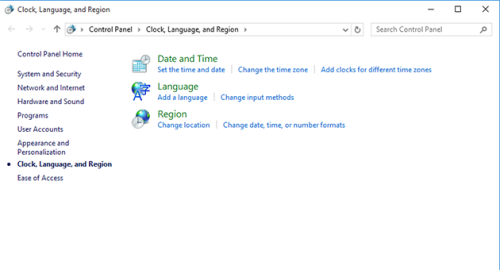
Choosing a new input language for a specific user in Windows 10 is no big deal, but this doesn’t change the system language used in the Welcome/Shutdown screens, which is English by default. What’s more, if you need to set another language for the Welcome screen, while leaving the system’s display language as is, you will most probably spend hours searching for the solution, yet find nothing really useful. [Read more…] about How to Change the Language of Welcome Screen in Windows 10
Tips & Tricks
How to Fix “Page Cannot Be Displayed” Error in Internet Explorer
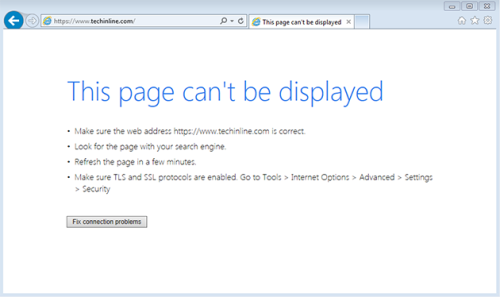
Are you experiencing Internet connection failures while setting up unattended access on a remote client’s machine? Or just opening any website that uses SSL protocol? You’ve tried everything possible, but still cannot open the application or access certain websites? If so, check out our quick guide below to solve the issue. [Read more…] about How to Fix “Page Cannot Be Displayed” Error in Internet Explorer
4 Ways to Celebrate Data Privacy Day

Data Privacy Day, held on January 28 each year, is one of those holidays that we don’t celebrate in the proper sense of the word. You don’t get any gifts or a long-awaited day-off and nobody throws any big parties with long speeches and champagne. All over the world, this holiday is considered to be the time for IT professionals and executives to focus on protecting data privacy, and educating consumers about the importance of how valuable information is stored, shared, and used. [Read more…] about 4 Ways to Celebrate Data Privacy Day
Techinline and Webroot Anti-Virus

We received several reports from Techinline Experts about the following problem that they experience when attempting to establish a connection with a remote Client:
Upon entering the Client ID and pressing the Connect button, there is absolutely no response and the connection does not start.
After investigating this issue further, we found that it is caused by Webroot Anti-Virus blocking the proper functioning of the Techinline Expert Application. This effects only the connection operation on the Expert’s end. At the same time, there are no reports of this problem on the client’s end, which suggests that it is limited to only the Expert Application.
We’ve already contacted Webroot and are waiting for them to whitelist the Techinline application. Hopefully the approval process will be completed soon.
As a temporary work-around, we recommend either temporarily disabling Webroot while working with Techinline or adding the Techinline Expert application to your Webroot Exclusion List.
We apologize for any temporary inconvenience caused, and thank you for your understanding and patience. Please contact our support team for any additional information or assistance.
Register now for a fully featured 15-day free trial of Techinline
Tips & Tricks: Using Techinline on Machines with Low-End Graphic Adapters
Updated on June 17th: Techinline Update 3.2.0: What To Look For
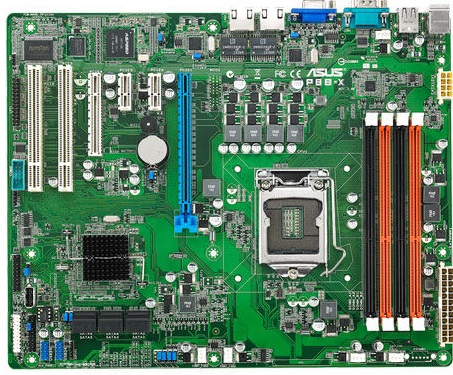
Several Techinline users have recently reported slow response-time and poor overall performance when connecting to certain Windows machines. After investigating this issue, we found that the poor performance [Read more…] about Tips & Tricks: Using Techinline on Machines with Low-End Graphic Adapters
Tips & Tricks: How to Remove Yellow Background Caption In Branded Client Box

Some of our users have raised questions on how to remove the default yellow background in the Caption area of a branded Techinline Client Box. [Read more…] about Tips & Tricks: How to Remove Yellow Background Caption In Branded Client Box