
• Skip to primary navigation
  • Skip to main content
  • Skip to primary sidebar
  • Skip to footer

Techinline Blog

Remote Support Software Explained

SetMe
Remote Support Software That Always Works
Free trial
Techinline Blog
  • Product
  • Features
  • Pricing
  • How It Works

Branding

FixMe.IT Branding Options

January 18, 2017 by Dan Kukarsky

FixMe.IT remote desktop application's branding options

As a prospective or a new customer, you may wonder if there are white-labeling options available within FixMe.IT. The answer is yes! We understand that many businesses must follow strict guidelines in terms of company style when it comes to deploying a third-party solution. Alternatively, some of you may simply want to establish brand recognition and avoid possible confusion among customers. [Read more…] about FixMe.IT Branding Options

Filed Under: Product Tagged With: Branding, Customization

Techinline Update 3.2.0: What To Look For

June 17, 2014 by Serge Soroka

We’re excited to announce the release of a new Techinline Version 3.2.0!

Although this update does not contain any new “tangible” features, it includes a long-awaited fix for running Techinline on machines with low-end graphic adapters that are most prevalent on Windows Servers. [Read more…] about Techinline Update 3.2.0: What To Look For
Filed Under: Updates Tagged With: Branding, Version update

Tips & Tricks: How to Remove Yellow Background Caption In Branded Client Box

February 7, 2014 by Serge Soroka

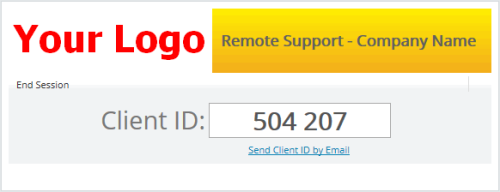
Some of our users have raised questions on how to remove the default yellow background in the Caption area of a branded Techinline Client Box. [Read more…] about Tips & Tricks: How to Remove Yellow Background Caption In Branded Client Box

Filed Under: Tips & Tricks Tagged With: Branding

Safe-Mode Reboot Now Available in Techinline’s Latest 2.5.0 Major Upgrade

June 9, 2012 by Serge Soroka

Request Windows Password Menu

We’re thrilled to announce the release of yet another major Techinline upgrade, 2.5.0, which will be launched tomorrow. The latest version is packed with a number of useful features including a Safe Mode Reboot and Switch User functionality.

What to look for in the latest release:

Reboot Client Into Safe Mode: You are now able to reboot the remote computer into Safe Mode while maintaining an active Techinline session. The remote Client will be automatically reconnected to the support session after the safe mode reboot  is completed. [Read more…] about Safe-Mode Reboot Now Available in Techinline’s Latest 2.5.0 Major Upgrade

Filed Under: Updates Tagged With: Auto-Reboot, Branding, Features, Version update

Primary Sidebar

Most Popular

Meet SetMe Solo: Ideal Pricing Plan for Individual & Small Businesses

New SetMe Features: In-Session Unattended Setup, Screen Blanking for Mac & More

SetMe's Unattended Access Is Here

New SetMe Feature: Disable Remote Input

Chrome Remote Desktop Review: The Pros & Cons

Best Remote Desktop Software for Mac in 2024

Follow Us

Recent Posts

  • Multi-Factor Authentication (MFA) in Remote Access Software October 16, 2025
  • How to Disable Automatic Updates on Windows 11 (Step-by-Step 2025 Guide) September 26, 2025
  • 5 Things to Know About Remote Desktop Software in 2025 September 17, 2025
  • Unattended Access: Use Cases & Benefits September 15, 2025
  • How to Remove Built-In Windows 11 Apps September 2, 2025
  • Fix Unmountable Boot Volume Error in Windows 10 & 11 (2025 Guide) August 26, 2025

Footer

Product

  • Features
  • Pricing
  • How It Works
  • Security

Resources

  • Product Roadmap
  • Help Center

Try It Free

Do you enjoy reading our posts? You might also like our remote support app. Give it a try, it's free for 15 days:

Try SetMe Free

© 2026 · Techinline Ltd. · Built on the Genesis Framework