• Skip to primary navigation
  • Skip to main content
  • Skip to primary sidebar
  • Skip to footer

Techinline Blog

Remote Support Software Explained

SetMe
Remote Support Software That Always Works
Free trial
Techinline Blog
  • Product
  • Features
  • Pricing
  • How It Works

Tips & Tricks

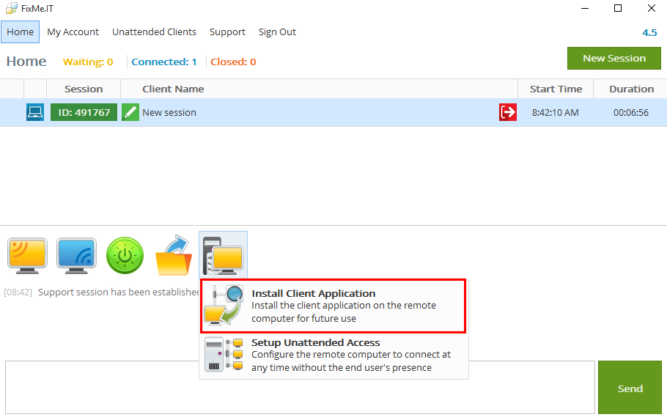
How to Permanently Install FixMe.IT Client App on a Remote Computer

June 14, 2018 by Dan Kukarsky

Install FixMe.IT Client application - In session

FixMe.IT provides remote users with an easy way to request tech support via a web browser. All they need to do is to run fixme.it in the address bar, download and run the temporary, lightweight client app which generates a unique 6-digit ID, and pass it along to you.

But what if you support this user on a regular basis, or manage a large number of users who don’t even have administrative rights?

In such cases, directing the remote user to fixme.it each time they require assistance would just complicate your work.

So, is there a way to simplify starting and conducting support sessions with your remote clients? The answer is yes! [Read more…] about How to Permanently Install FixMe.IT Client App on a Remote Computer
Filed Under: Tips & Tricks Tagged With: Features, FixMe.IT

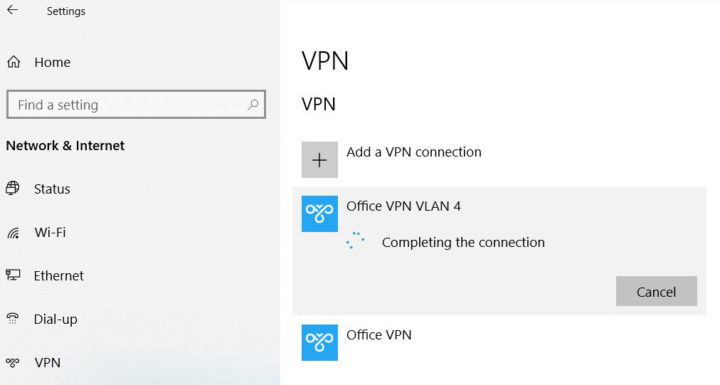
VPN Stuck on “Connecting” in Windows 10: How to Fix It

June 1, 2018 by Dan Kukarsky

VPN gets stuck on connecting in Windows 10 - solution

A quick Google search reveals that Windows 10 users often experience a number of VPN-related issues. Here’s another Windows bug that you may face when trying to connect to a VPN from the system tray menu. 

[Read more…] about VPN Stuck on “Connecting” in Windows 10: How to Fix It

Filed Under: Windows Tips & Tricks Tagged With: VPN, Windows 10

How to Span Multiple Remote Displays across Your Local Monitors with FixMe.IT

May 15, 2018 by Dan Kukarsky

Multiple remote displays

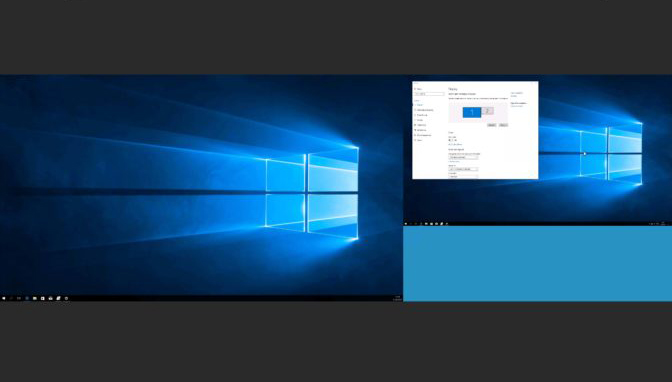
If the remote user has two or more monitors connected to their machine, all of them will show up on your local desktop in a single window by default. To choose an individual monitor to work with, you can take advantage of FixMe.IT’s multi-display tool. But what if you also have multiple displays connected to your workstation, and you want the remote monitors spanned across them? [Read more…] about How to Span Multiple Remote Displays across Your Local Monitors with FixMe.IT

Filed Under: Tips & Tricks Tagged With: FixMe.IT, Multi-monitor navigation

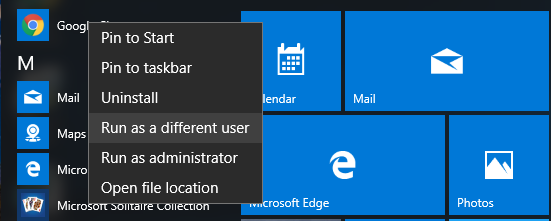
How to Enable “Run as a Different User” Option in Windows 10

February 28, 2018 by Dan Kukarsky

By default, Windows 10 doesn’t allow you to run an app as a different user from Start Menu. But what if you need to add it on a remote user’s computer or your own machine? Here’s a quick workaround that will help you enable this option with a simple registry edit. [Read more…] about How to Enable “Run as a Different User” Option in Windows 10

Filed Under: Windows Tips & Tricks Tagged With: Windows 10

How to Switch Users on Terminal Server with FixMe.IT

February 15, 2018 by Dan Kukarsky

Let’s say you’re supporting a client that’s connected to a terminal server, and you need to switch to another user connected to that terminal server. If you start switching users in the same way that you usually do when working on a terminal server, you’ll immediately lose view of the remote session. However, there are two workarounds that can help you get the job done without losing the session.  [Read more…] about How to Switch Users on Terminal Server with FixMe.IT

Filed Under: Tips & Tricks Tagged With: FixMe.IT, Terminal server, Windows 10

5 Tips to Organize Remote IT Support for Your Small Business

January 30, 2018 by Dan Kukarsky

Tips to organize remote support for small businesses

Whether you’re the CEO of a startup that’s been overwhelmed by requests from new clients or the IT director of a small firm whose tech infrastructure is maxed out, you need better technology solutions, stat. However, incorporating and maintaining the right solutions to solve the right problems in your business can be a challenge. [Read more…] about 5 Tips to Organize Remote IT Support for Your Small Business

Filed Under: Tips & Tricks Tagged With: Remote IT support, Small business

  • « Go to Previous Page
  • Page 1
  • Interim pages omitted …
  • Page 6
  • Page 7
  • Page 8
  • Page 9
  • Page 10
  • Interim pages omitted …
  • Page 15
  • Go to Next Page »

Primary Sidebar

Most Popular

Meet SetMe Solo: Ideal Pricing Plan for Individual & Small Businesses

New SetMe Features: In-Session Unattended Setup, Screen Blanking for Mac & More

SetMe's Unattended Access Is Here

New SetMe Feature: Disable Remote Input

Chrome Remote Desktop Review: The Pros & Cons

Best Remote Desktop Software for Mac in 2024

Follow Us

Recent Posts

  • Multi-Factor Authentication (MFA) in Remote Access Software October 16, 2025
  • How to Disable Automatic Updates on Windows 11 (Step-by-Step 2025 Guide) September 26, 2025
  • 5 Things to Know About Remote Desktop Software in 2025 September 17, 2025
  • Unattended Access: Use Cases & Benefits September 15, 2025
  • How to Remove Built-In Windows 11 Apps September 2, 2025
  • Fix Unmountable Boot Volume Error in Windows 10 & 11 (2025 Guide) August 26, 2025

Footer

Product

  • Features
  • Pricing
  • How It Works
  • Security

Resources

  • Product Roadmap
  • Help Center

Try It Free

Do you enjoy reading our posts? You might also like our remote support app. Give it a try, it's free for 15 days:

Try SetMe Free

© 2025 · Techinline Ltd. · Built on the Genesis Framework