

• Skip to primary navigation
  • Skip to main content
  • Skip to primary sidebar
  • Skip to footer

Techinline Blog

Remote Support Software Explained

SetMe
Remote Support Software That Always Works
Free trial
Techinline Blog
  • Product
  • Features
  • Pricing
  • How It Works

Product

How to Get the Best Experience from FixMe.IT

November 29, 2018 by Dan Kukarsky

Getting the best experience from FixMe.IT remote desktop app

FixMe.IT is a remote support tool known for its ease of use and flexibility. If you’re new to FixMe.IT, watch the Expert app introduction video or take advantage of the tips below that to make your daily IT support routine as hassle-free as possible. [Read more…] about How to Get the Best Experience from FixMe.IT

Filed Under: Product, Tips & Tricks Tagged With: File sharing, Multi-monitor navigation, Reporting, Unattended access

How to Enable Windows Auto Logon on a Remote Computer with FixMe.IT
October 11, 2018 by Dan Kukarsky

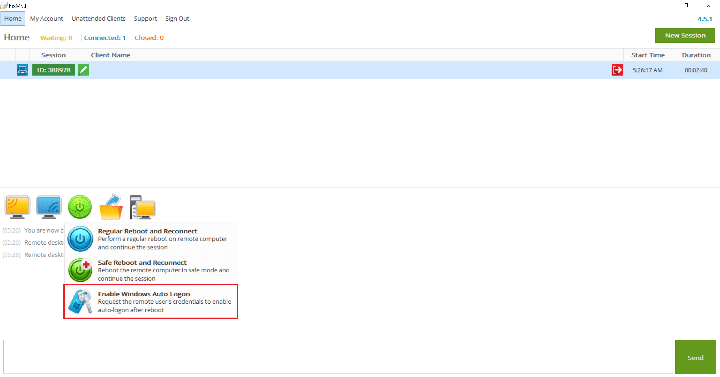
Enable auto logon on a remote computer with FixMe.IT

The Enable Windows Auto Logon feature available in the FixMe.IT remote desktop application allows you to securely store the remote user’s Windows credentials in order to automatically logon as a current user after a restart.

This way you can automatically continue the remote session after a reboot without the remote user’s involvement, or even in their absence.  [Read more…] about How to Enable Windows Auto Logon on a Remote Computer with FixMe.IT

Filed Under: Product, Tips & Tricks Tagged With: Auto Logon

How to Maintain a Shared Unattended Client List while Keeping Specific Machines Private
September 4, 2018 by Dan Kukarsky

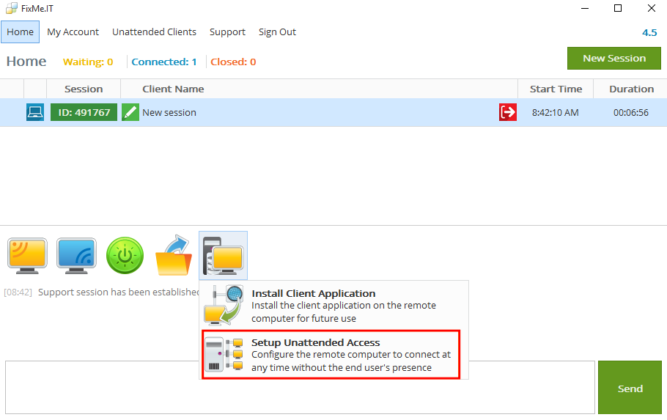
FixMe.IT unattended remote access

FixMe.IT provides you with an easy way to setup remote access on any remote computer or server. Besides that, it allows you to maintain a shared unattended client list across multiple logins on your account.

But what if you need to connect to your personal unattended workstation or other remote machines without anyone else gaining access to them, while still having a shared list with your co-workers? [Read more…] about How to Maintain a Shared Unattended Client List while Keeping Specific Machines Private

Filed Under: Product, Tips & Tricks Tagged With: FixMe.IT, Unattended access

How to Share Remote Screen with Multiple Remote Users
August 29, 2018 by Dan Kukarsky

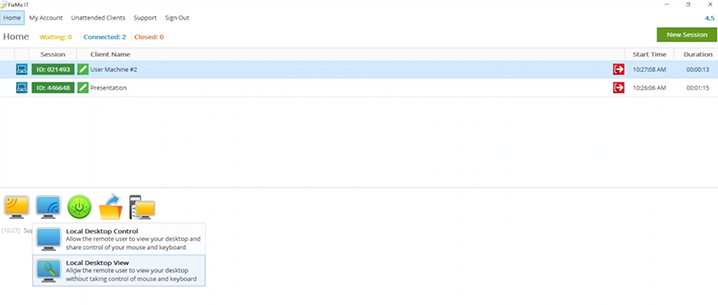
Remote screen sharing with multiple users

Many businesses are using FixMe.IT not only to provide remote support to customers but also host online software demos and presentations. Thanks to its intuitive user interface, FixMe.IT makes it extremely easy to connect to any number of remote users and share your local desktop with them. [Read more…] about How to Share Remote Screen with Multiple Remote Users

Filed Under: Product, Tips & Tricks Tagged With: FixMe.IT, Remote screen sharing

5 Things IT Pros Appreciate the Most about FixMe.IT
August 15, 2018 by Dan Kukarsky

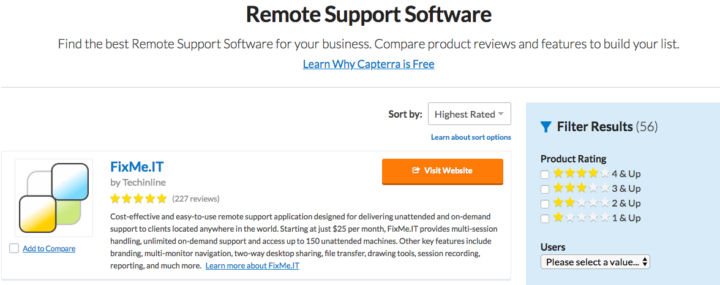
FixMe.IT - highest rated remote support software on Gartner's Capterra

In an effort to better understand the needs and cravings of our customers, we’ve gathered over 220 unique user reviews on Gartner’s Capterra, a leading business software review platform. [Read more…] about 5 Things IT Pros Appreciate the Most about FixMe.IT

Filed Under: Product Tagged With: FixMe.IT, Reviews

How to Connect to Any Computer Remotely with FixMe.IT
June 26, 2018 by Dan Kukarsky

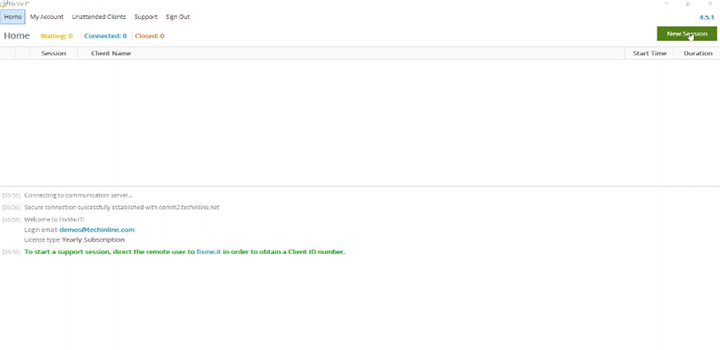
Connect to computer remotely with FixMe.IT

Looking for a tool that provides a quick way to troubleshoot any PC remotely? We’ve got you covered! FixMe.IT allows you to connect to any remote computer in a matter of seconds.  [Read more…] about How to Connect to Any Computer Remotely with FixMe.IT

Filed Under: Product Tagged With: FixMe.IT, Remote desktop connection

  • « Go to Previous Page
  • Page 1
  • Interim pages omitted …
  • Page 6
  • Page 7
  • Page 8
  • Page 9
  • Page 10
  • Interim pages omitted …
  • Page 15
  • Go to Next Page »

Primary Sidebar

Most Popular

Meet SetMe Solo: Ideal Pricing Plan for Individual & Small Businesses

New SetMe Features: In-Session Unattended Setup, Screen Blanking for Mac & More

SetMe's Unattended Access Is Here

New SetMe Feature: Disable Remote Input

Chrome Remote Desktop Review: The Pros & Cons

Best Remote Desktop Software for Mac in 2024

Follow Us

Recent Posts

  • Multi-Factor Authentication (MFA) in Remote Access Software October 16, 2025
  • How to Disable Automatic Updates on Windows 11 (Step-by-Step 2025 Guide) September 26, 2025
  • 5 Things to Know About Remote Desktop Software in 2025 September 17, 2025
  • Unattended Access: Use Cases & Benefits September 15, 2025
  • How to Remove Built-In Windows 11 Apps September 2, 2025
  • Fix Unmountable Boot Volume Error in Windows 10 & 11 (2025 Guide) August 26, 2025

Footer

Product

  • Features
  • Pricing
  • How It Works
  • Security

Resources

  • Product Roadmap
  • Help Center

Try It Free

Do you enjoy reading our posts? You might also like our remote support app. Give it a try, it's free for 15 days:

Try SetMe Free

© 2026 · Techinline Ltd. · Built on the Genesis Framework