• Skip to primary navigation
  • Skip to main content
  • Skip to primary sidebar
  • Skip to footer

Techinline Blog

Remote Support Software Explained

SetMe
Remote Support Software That Always Works
Free trial
Techinline Blog
  • Product
  • Features
  • Pricing
  • How It Works

Resolved: FixMe.IT Server Outage on December 8

December 9, 2016 by Dan Kukarsky

What happened?

Yesterday at around 11:30 A.M. EST one of our servers responsible for launching Expert and Client applications temporarily went down. As a result, our users were unable to run FixMe.IT or refresh the unattended client list if already working in the application. However, while the server was down all existing connections were maintained. During the outage our support specialists did their best to provide the necessary assistance and respond to all related customer queries.

Has it been resolved?

Yes. Right after the server became unresponsive, we received an automated alert and began working on the issue immediately. Our team implemented a backup recovery plan within 30 minutes after the outage had started, and everything was returned back to normal around 12 P.M. EST.

We appreciate your patience and understanding, and we thank you for being our valued customers! Please note that you can always count on our support team’s immediate assistance if any issues arise. You may contact us directly or leave us a shout on Twitter, and we’ll do our best to be quick as a flash!

Filed Under: Product Tagged With: Outage, Techinline

Unknown FixMe.IT Setup Errors – What to Do?

November 16, 2016 by Dan Kukarsky

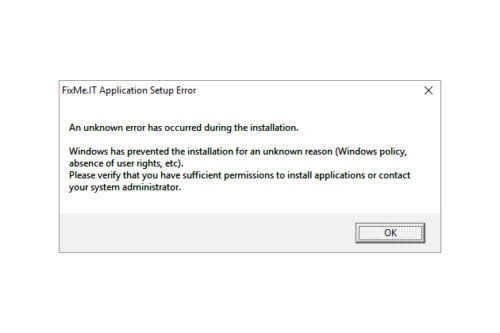
Identify compatibility issues and eliminate unknown FixMe.IT setup errors

Based on recent customer feedback, FixMe.IT has proven to be one of the most stable and reliable remote desktop tools on the market providing IT pros with secure means of connecting to remote computers from anywhere in the world. However, like with any other software, you might stumble upon some unexpected errors when trying to run FixMe.IT on your machine. Now let’s take a look at what may cause these errors and what can be done to eliminate them. [Read more…] about Unknown FixMe.IT Setup Errors – What to Do?

Filed Under: Communication & Support, Product Tagged With: Compatibility, Techinline

FixMe.IT & “This App Can’t Open” Issue in Windows 10 Safe Mode

November 1, 2016 by Dan Kukarsky

FixMe.IT & This App Can’t Open Issue in Windows 10 Safe Mode

We have recently received a couple of reports from our users who’ve run into “This app can’t open” error after booting a remote machine into safe mode on Windows 10. Let’s see what this issue is all about, and whether it actually concerns the FixMe.IT application or its performance in any way. [Read more…] about FixMe.IT & “This App Can’t Open” Issue in Windows 10 Safe Mode

Filed Under: Communication & Support Tagged With: Safe Mode, Windows 10

How to Restore FixMe.IT Remote Session after Safe Mode Reboot on Windows 10

October 27, 2016 by Dan Kukarsky

How to restore remote session after safe mode reboot on Windows 10

You reboot your remote client’s Windows 10 machine into Safe Mode, and that’s where the big disappointment comes – you realize that for some strange reason the Wi-Fi connection is disabled. Most of the services you need are off and you’re having a hard time restoring Internet access. Does the symptom sound familiar? If so, chances are that you’ll find this quick guide useful. [Read more…] about How to Restore FixMe.IT Remote Session after Safe Mode Reboot on Windows 10

Filed Under: Communication & Support, Tips & Tricks Tagged With: Safe Mode, Wi-Fi, Windows 10

How to Setup FixMe.IT Unattended Client on Windows 2012 Core Server

October 5, 2016 by Dan Kukarsky

How to Setup FixMe.IT Unattended Client on Windows 2012 Core Server

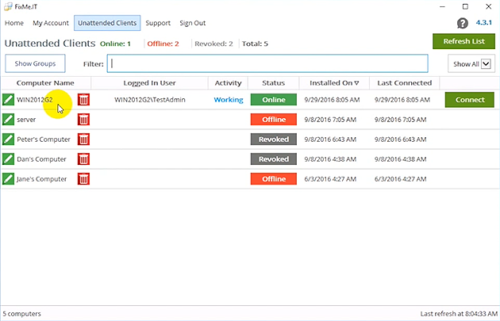
Unattended access is one of the key features to be found in a remote desktop application such as Techinline FixMe.IT. It provides you with maximum flexibility and brings ease of mind by letting you connect to a number of remote machines and work on them at any time, from any location, and without the client’s involvement.

Setting up the FixMe.IT Unattended Client on a remote client’s computer is easy. For that, you can either set it up from the Expert toolbar when starting a new support session, or run an installation file on a remote desktop. But what if you need to locally set up unattended access on a Windows 2012 Core server? That’s a bit trickier. Your client should have some advanced Command Line skills to make it happen, so let’s see how it can be done. [Read more…] about How to Setup FixMe.IT Unattended Client on Windows 2012 Core Server

Filed Under: Product, Tips & Tricks Tagged With: hyper-v, Unattended access, Windows Core Server

A Sneak Peek Into 4.3 FixMe.IT Version Update

September 20, 2016 by Dan Kukarsky

FixMe.IT 4.3 Version Update

The FixMe.IT development team is always working hard in an effort to improve your experience with the application and help you deliver the highest level of service to your customers, and today we’re happy to introduce a new FixMe.IT version 4.3!

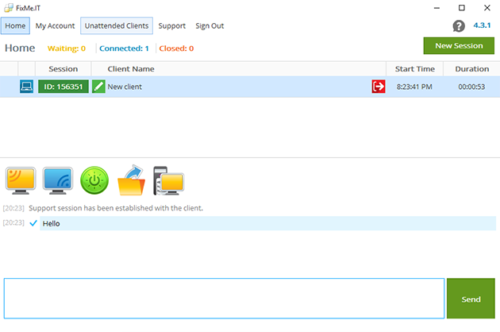
The latest software update includes several enhancements of the unattended access feature, a minor, yet handy addition to the built-in text chat, along with a few other bug fixes. Now let’s take a look at what’s new.  [Read more…] about A Sneak Peek Into 4.3 FixMe.IT Version Update

Filed Under: Product, Updates Tagged With: Bug fixing, Version update

  • « Go to Previous Page
  • Page 1
  • Interim pages omitted …
  • Page 29
  • Page 30
  • Page 31
  • Page 32
  • Page 33
  • Interim pages omitted …
  • Page 38
  • Go to Next Page »

Primary Sidebar

Most Popular

Meet SetMe Solo: Ideal Pricing Plan for Individual & Small Businesses

New SetMe Features: In-Session Unattended Setup, Screen Blanking for Mac & More

SetMe's Unattended Access Is Here

New SetMe Feature: Disable Remote Input

Chrome Remote Desktop Review: The Pros & Cons

Best Remote Desktop Software for Mac in 2024

Follow Us

Recent Posts

  • Multi-Factor Authentication (MFA) in Remote Access Software October 16, 2025
  • How to Disable Automatic Updates on Windows 11 (Step-by-Step 2025 Guide) September 26, 2025
  • 5 Things to Know About Remote Desktop Software in 2025 September 17, 2025
  • Unattended Access: Use Cases & Benefits September 15, 2025
  • How to Remove Built-In Windows 11 Apps September 2, 2025
  • Fix Unmountable Boot Volume Error in Windows 10 & 11 (2025 Guide) August 26, 2025

Footer

Product

  • Features
  • Pricing
  • How It Works
  • Security

Resources

  • Product Roadmap
  • Help Center

Try It Free

Do you enjoy reading our posts? You might also like our remote support app. Give it a try, it's free for 15 days:

Try SetMe Free

© 2026 · Techinline Ltd. · Built on the Genesis Framework