
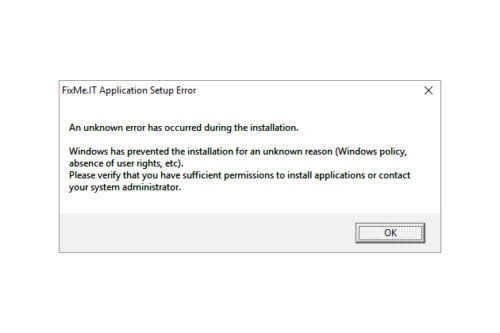
Based on recent customer feedback, FixMe.IT has proven to be one of the most stable and reliable remote desktop tools on the market providing IT pros with secure means of connecting to remote computers from anywhere in the world. However, like with any other software, you might stumble upon some unexpected errors when trying to run FixMe.IT on your machine. Now let’s take a look at what may cause these errors and what can be done to eliminate them. [Read more…] about Unknown FixMe.IT Setup Errors – What to Do?
FixMe.IT & “This App Can’t Open” Issue in Windows 10 Safe Mode

We have recently received a couple of reports from our users who’ve run into “This app can’t open” error after booting a remote machine into safe mode on Windows 10. Let’s see what this issue is all about, and whether it actually concerns the FixMe.IT application or its performance in any way. [Read more…] about FixMe.IT & “This App Can’t Open” Issue in Windows 10 Safe Mode
How to Restore FixMe.IT Remote Session after Safe Mode Reboot on Windows 10

You reboot your remote client’s Windows 10 machine into Safe Mode, and that’s where the big disappointment comes – you realize that for some strange reason the Wi-Fi connection is disabled. Most of the services you need are off and you’re having a hard time restoring Internet access. Does the symptom sound familiar? If so, chances are that you’ll find this quick guide useful. [Read more…] about How to Restore FixMe.IT Remote Session after Safe Mode Reboot on Windows 10
How to Setup FixMe.IT Unattended Client on Windows 2012 Core Server
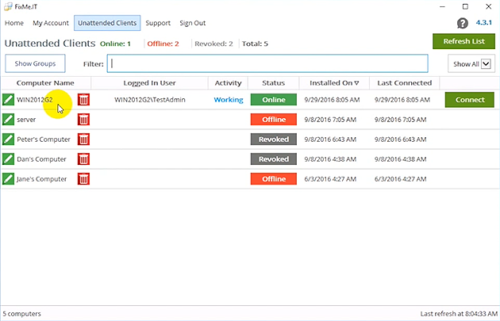
Unattended access is one of the key features to be found in a remote desktop application such as Techinline FixMe.IT. It provides you with maximum flexibility and brings ease of mind by letting you connect to a number of remote machines and work on them at any time, from any location, and without the client’s involvement.
Setting up the FixMe.IT Unattended Client on a remote client’s computer is easy. For that, you can either set it up from the Expert toolbar when starting a new support session, or run an installation file on a remote desktop. But what if you need to locally set up unattended access on a Windows 2012 Core server? That’s a bit trickier. Your client should have some advanced Command Line skills to make it happen, so let’s see how it can be done. [Read more…] about How to Setup FixMe.IT Unattended Client on Windows 2012 Core Server
A Sneak Peek Into 4.3 FixMe.IT Version Update
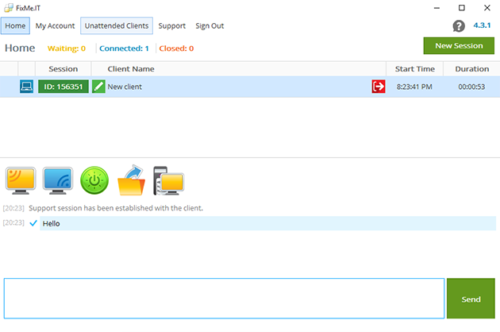
The FixMe.IT development team is always working hard in an effort to improve your experience with the application and help you deliver the highest level of service to your customers, and today we’re happy to introduce a new FixMe.IT version 4.3!
The latest software update includes several enhancements of the unattended access feature, a minor, yet handy addition to the built-in text chat, along with a few other bug fixes. Now let’s take a look at what’s new. [Read more…] about A Sneak Peek Into 4.3 FixMe.IT Version Update
FixMe.IT Customer Care: On Guard of Your Product Experience
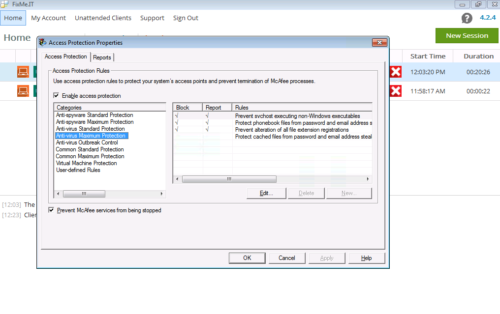
Whether you’re doing a free trial of FixMe.IT or already using our product to provide remote tech support services, you can always count on our team’s professional guidance and immediate assistance. In a previous article we described the way to fine tune Trend Micro OfficeScan for a better FixMe.IT experience. This time, as part of our regular blog category, we’ll share a few other notable customer support cases along with tips that some of you might find useful. [Read more…] about FixMe.IT Customer Care: On Guard of Your Product Experience