
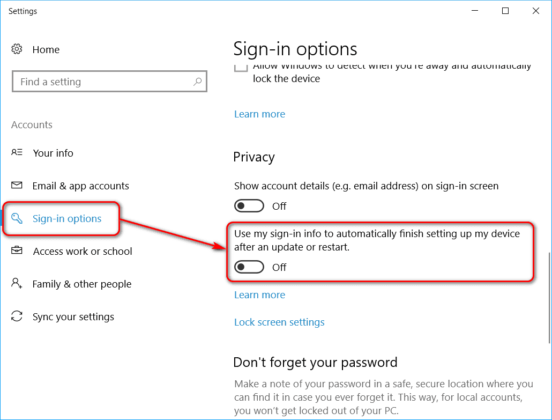
Some users have recently reported that they have to login twice after restarting or shutting down a machine running on Windows 10 Fall Creators Update. After entering the Windows password, they subsequently get redirected back to the Windows 10 Welcome screen prompting to enter the credentials again. [Read more…] about How to Fix Double Login Issue on Windows 10 Fall Creators Update
Windows Tips & Tricks
The Easy Way to Upgrade to Windows 10 Remotely
Windows 10 has recently hit 24% of the total market share and is now active on 350 million devices according to Microsoft. Impressive, right? As Windows 10 continues to grow, more and more tech support specialists begin to wonder how they can easily upgrade their clients’ or employees’ machines remotely.
Looking for a fast and easy solution, too? We’ve got you covered. [Read more…] about The Easy Way to Upgrade to Windows 10 Remotely
How to Create a Desktop Icon for Any Windows Keyboard Shortcut
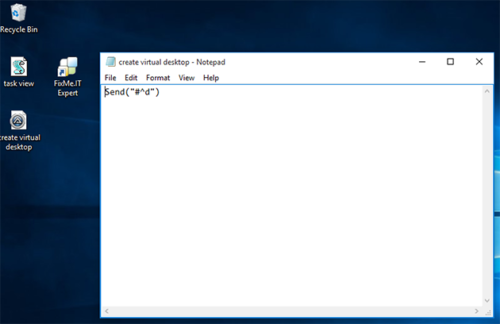
There’s an impressive amount of Windows 10 keyboard shortcuts that provide a much faster access to certain OS features, and chances are you apply most of them in your everyday work. But what if you want to be even more productive and put some of the vital Windows features just a click away by creating a desktop icon for a specific keyboard combination? [Read more…] about How to Create a Desktop Icon for Any Windows Keyboard Shortcut
3 Tips for Better Microsoft Edge Experience
The Windows 10 Anniversary update has brought new accessibility, security and power-efficiency features to Microsoft Edge, making native Windows browsing far more pleasant than it used to be in the glitchy Internet Explorer era. However, if you’re new to Edge, you might find your first experience to be a bit frustrating, especially when trying to change the default Downloads folder or reinstalling the browser after an issue.
Here are some useful tips and tricks for getting the most out of your Microsoft Edge experience. [Read more…] about 3 Tips for Better Microsoft Edge Experience
30 Best Windows 10 Shortcuts to Know
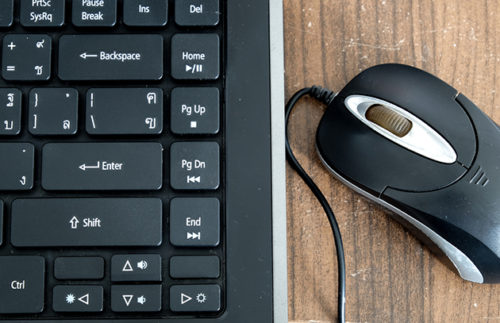
With Windows 10, Microsoft introduced numerous shortcuts that can help users get the most out of the operating system’s new features, such as windows snapping and virtual desktop, and boost their productivity. Here’s a complete guide to the best Windows 10 keyboard combinations you should know. [Read more…] about 30 Best Windows 10 Shortcuts to Know
How to Change the Language of Welcome Screen in Windows 10
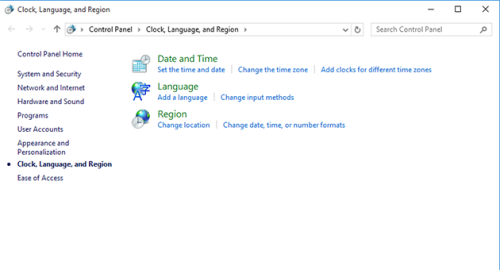
Choosing a new input language for a specific user in Windows 10 is no big deal, but this doesn’t change the system language used in the Welcome/Shutdown screens, which is English by default. What’s more, if you need to set another language for the Welcome screen, while leaving the system’s display language as is, you will most probably spend hours searching for the solution, yet find nothing really useful. [Read more…] about How to Change the Language of Welcome Screen in Windows 10