• Skip to primary navigation
  • Skip to main content
  • Skip to primary sidebar
  • Skip to footer

Techinline Blog

Remote Support Software Explained

SetMe
Remote Support Software That Always Works
Free trial
Techinline Blog
  • Product
  • Features
  • Pricing
  • How It Works

Windows Tips & Tricks

“The Picture Is Too Large and Will Be Truncated” Excel Error: How to Fix It

February 21, 2019 by Dan Kukarsky

The picture is too large and will be truncated: how to fix it

You may come across a “Picture is too large and will be truncated” error message when trying to copy and paste rows, columns or tables in Microsoft Excel. This is quite a common issue that is not directly attributed to Excel – rather it’s caused by a running 3rd party application that’s interacting with the Windows clipboard. [Read more…] about “The Picture Is Too Large and Will Be Truncated” Excel Error: How to Fix It

Filed Under: Windows Tips & Tricks Tagged With: Excel, Microsoft Windows

How to Change Windows Password Using Command Line or PowerShell
December 20, 2018 by Dan Kukarsky

How to change Windows password using Command Line or Powershell

Windows makes it simple for any user to change their password from the standard settings menu. But what if they forget it, or even get stuck on the login screen with their local administrator account disabled? [Read more…] about How to Change Windows Password Using Command Line or PowerShell

Filed Under: Windows Tips & Tricks Tagged With: Password, Windows 10

How to Disable Quick Access in Windows 10 File Explorer
November 30, 2018 by Dan Kukarsky

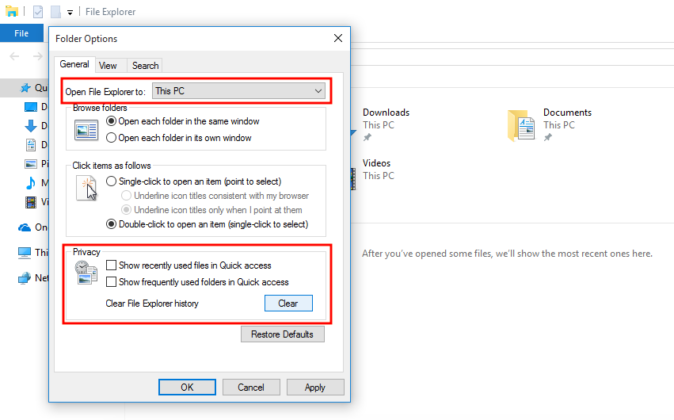
How to disable Quick Access in Windows 10 File Explorer

Windows 10 is packed with handy features. Few of them, however, may be considered unnecessary or annoying by some users. For instance, you may want to disable the Quick Access feature in order to give File Explorer a much cleaner look.

[Read more…] about How to Disable Quick Access in Windows 10 File Explorer

Filed Under: Windows Tips & Tricks Tagged With: File Explorer, Quick Access, Windows 10

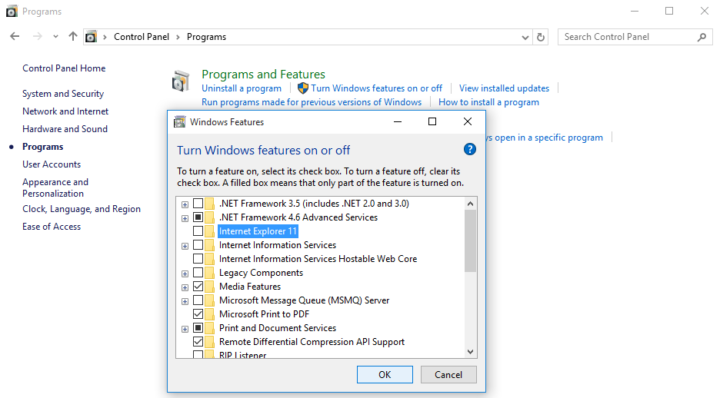
How to Disable Microsoft Edge and Internet Explorer in Windows 10
November 21, 2018 by Dan Kukarsky

How to disable Internet Explorer in Windows 10

If you don’t use Microsoft’s built-in browsers, you can temporarily disable them on your machine. Here’s how you can do this. 

[Read more…] about How to Disable Microsoft Edge and Internet Explorer in Windows 10

Filed Under: Windows Tips & Tricks Tagged With: Internet Explorer, Microsoft Edge, Windows 10

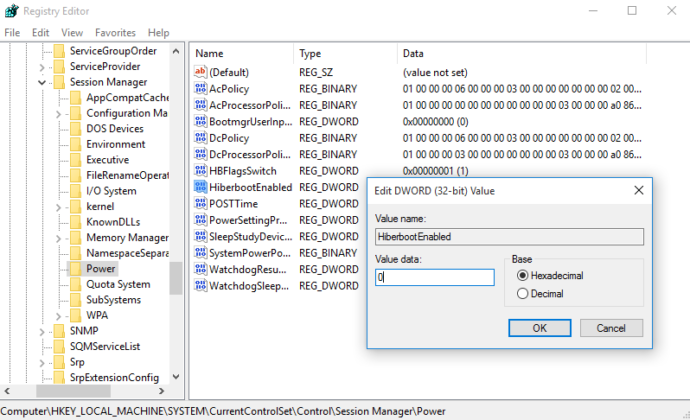
Windows 10 Restarts after Shutdown: How to Fix It
September 18, 2018 by Dan Kukarsky

Windows 10 restarts after shutdown: how to fix it

Windows 10 may unexpectedly restart after you select the Shutdown option or put the system into Sleep or Hibernate mode. Here’s how to fix this issue.

[Read more…] about Windows 10 Restarts after Shutdown: How to Fix It

Filed Under: Windows Tips & Tricks Tagged With: Windows 10

How to Disable Cortana on Windows 10

August 7, 2018 by Dan Kukarsky

how to disable cortana on windows 10

Similar to Siri and Alexa, Microsoft’s Cortana was designed to provide search, scheduling and other functions by allowing you to interact with the Windows system with your voice. While it’s considered to be a helpful feature by most users, Cortana is also known to collect personal information, such as your preferences, schedule and location, and share it with Microsoft and other service providers.

[Read more…] about How to Disable Cortana on Windows 10

Filed Under: Windows Tips & Tricks Tagged With: Cortana, Windows 10

  • « Go to Previous Page
  • Page 1
  • Interim pages omitted …
  • Page 3
  • Page 4
  • Page 5
  • Page 6
  • Page 7
  • Page 8
  • Go to Next Page »

Primary Sidebar

Most Popular

Meet SetMe Solo: Ideal Pricing Plan for Individual & Small Businesses

New SetMe Features: In-Session Unattended Setup, Screen Blanking for Mac & More

SetMe's Unattended Access Is Here

New SetMe Feature: Disable Remote Input

Chrome Remote Desktop Review: The Pros & Cons

Best Remote Desktop Software for Mac in 2024

Follow Us

Recent Posts

  • Multi-Factor Authentication (MFA) in Remote Access Software October 16, 2025
  • How to Disable Automatic Updates on Windows 11 (Step-by-Step 2025 Guide) September 26, 2025
  • 5 Things to Know About Remote Desktop Software in 2025 September 17, 2025
  • Unattended Access: Use Cases & Benefits September 15, 2025
  • How to Remove Built-In Windows 11 Apps September 2, 2025
  • Fix Unmountable Boot Volume Error in Windows 10 & 11 (2025 Guide) August 26, 2025

Footer

Product

  • Features
  • Pricing
  • How It Works
  • Security

Resources

  • Product Roadmap
  • Help Center

Try It Free

Do you enjoy reading our posts? You might also like our remote support app. Give it a try, it's free for 15 days:

Try SetMe Free

© 2026 · Techinline Ltd. · Built on the Genesis Framework