
Another handy new feature is a red frame that will appear around the remote user’s screen as soon as you’re connected to their computer. Read on to learn more about this feature and how it can benefit the remote user.
Why is it useful?
As part of our effort to make SetMe more transparent and secure, we wanted to give the remote user a clear indication when their screen is being observed. This new feature will let them know exactly when their desktop is being viewed by you during an active connection.
How does it work?
The red frame will appear around the remote user’s screen every time you connect to their desktop. It is fully transparent and will not interfere with any actions you or the remote user may want to perform, such as transferring data via drag-and-drop, using the taskbar, or moving objects around the remote desktop.
Whenever you connect to a multi-display setup, the red frame will appear around each display’s screen provided that you choose to view all of the remote user’s monitors in your remote desktop window. If you choose an individual display to work with, the red frame will only appear around that particular display.
If SetMe’s client application is running in admin mode, the frame will remain visible to the remote user at all times for the duration of your connection, even when they sign out or switch to another user account. In user mode, however, the frame cannot be shown when a UAC prompt is displayed, or when the remote user is on the login or lock screen.
Is the frame visible to the expert?
- Modern Windows versions. If the remote user is running Windows 10 Version 2004 or later, the red frame will not be visible to you under any circumstances.
- Apple macOS. When connected to a remote Mac, you will see the red frame in your remote desktop window.
- Legacy Windows versions. When connected to a remote Windows 7/8 machine, you will be able to see either a black or red frame within your remote desktop window (see below for more technical details).
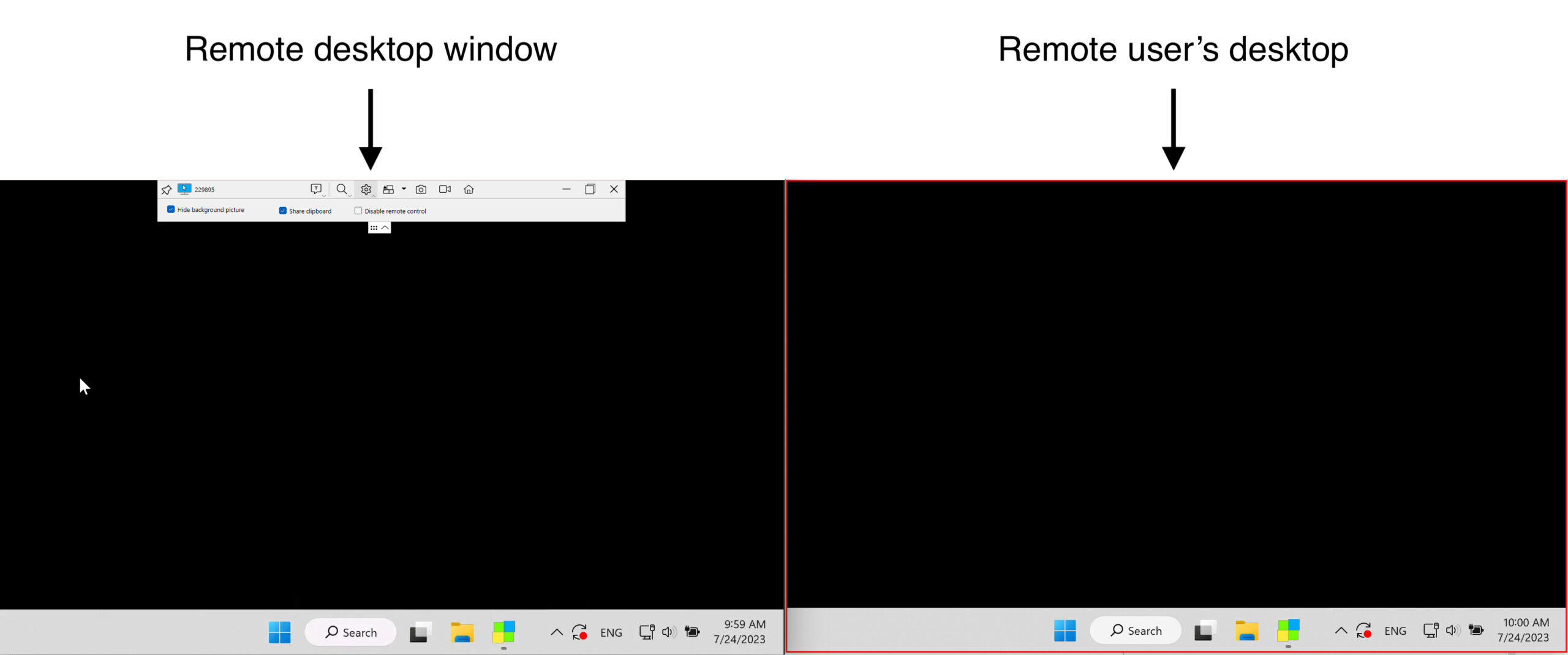
Digging deeper into the mechanics
When developing this feature, we had to take into account the way Desktop Window Manager (DWM) works in different versions of Microsoft Windows. DWM is the compositing window manager that renders application windows or visual effects, including SetMe’s red frame.
Generally, SetMe uses the display affinity function to prevent the frame from being captured during remote view/control. Windows 10 Version 2004 and later versions of the OS fully support setting the value of this function to WDA_EXCLUDEDFROMCAPTURE, which means that the frame will remain hidden from the expert at all times.
Setting the display affinity to WDA_EXCLUDEDFROMCAPTURE on previous versions of Windows will behave as if another value (WDA_MONITOR) is applied. In this case, you will see either a black or red frame when controlling a remote Windows 7 machine, and a black frame when connected to a Windows 8 computer.
We’re constantly improving SetMe to provide you with a feature-rich and reliable solution that ticks all the boxes. More awesome new features are currently in the works, so stay tuned for upcoming updates!