
• Skip to primary navigation
  • Skip to main content
  • Skip to primary sidebar
  • Skip to footer

Techinline Blog

Remote Support Software Explained

SetMe
Remote Support Software That Always Works
Free trial
Techinline Blog
  • Product
  • Features
  • Pricing
  • How It Works

SetMe’s Expert Console Now Available on macOS

April 24, 2023 by Dan Kukarsky

Great news for Mac users! Your most anticipated feature is finally here. Today, SetMe has received an exciting new update that ensures full compatibility of our Expert application with macOS.

We’re constantly improving SetMe to provide you with the best possible cross-platform remote desktop experience. With this update, SetMe’s Expert Console is now available on both Intel and Apple Silicon Mac computers running macOS 10.13 or newer.
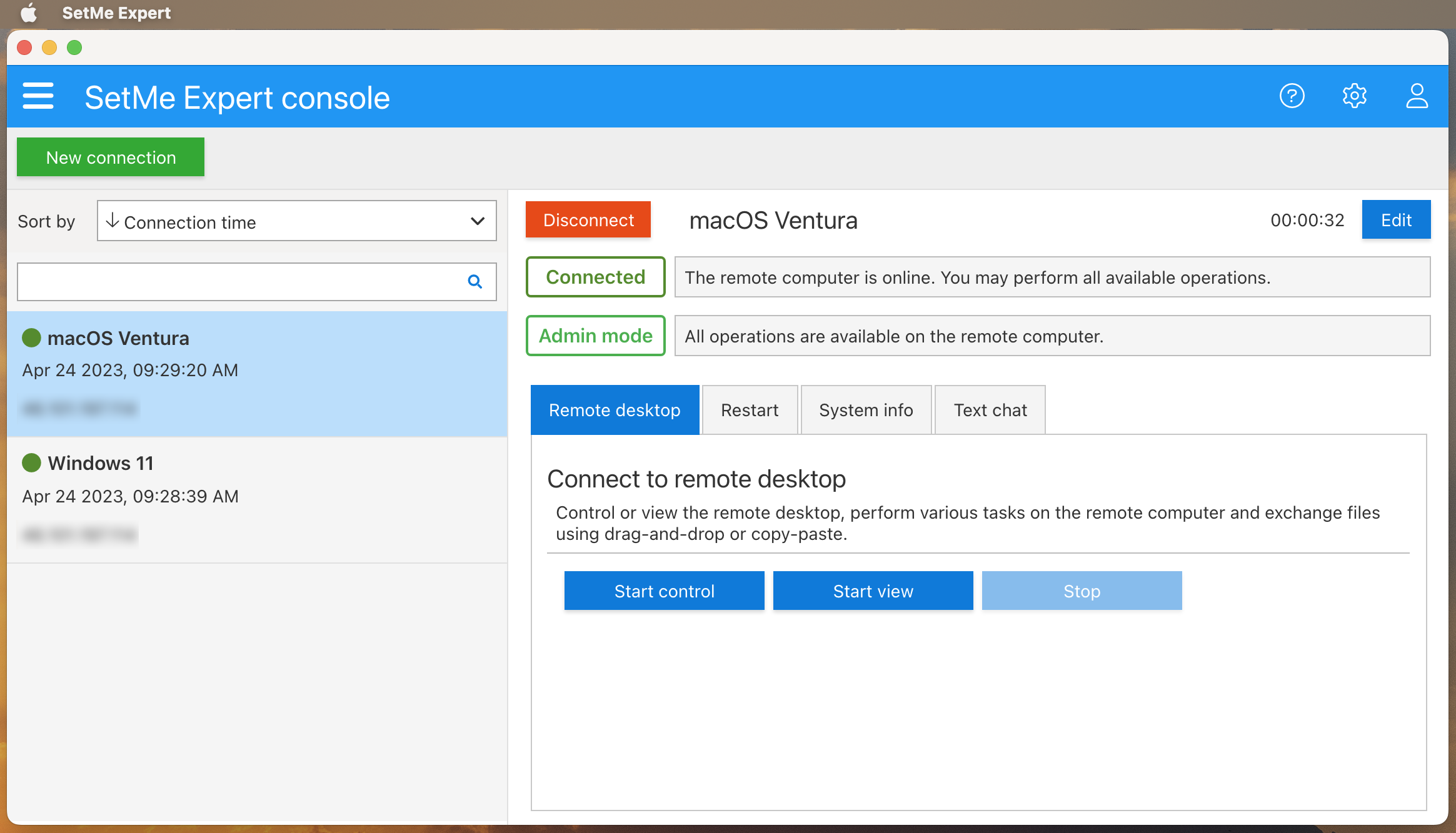
To run the Expert Console on macOS, sign in to your account on portal.set.me, download and open the .dmg image and double-click the installer icon. Once installed, SetMe’s Expert app will be added to your Applications and Dock menus shortly.

We’re sure that you’re going to enjoy the new Expert Console for Mac without having to run the app on a virtual machine any longer. Try it now and don’t forget to share your experience with us!

Still not a beta member? Don’t miss out on SetMe’s new features! Feel free to try it in your work environment today:

Join Beta

Related Posts

  • Introducing SetMe's Client Desktop App for macOS & Two-Factor Authentication
  • How to Restart a Remote Computer (the Easy Way with SetMe)
  • SetMe Beta Version Update: Custom Zoom Mode & More

Filed Under: SetMe

Primary Sidebar

Most Popular

Meet SetMe Solo: Ideal Pricing Plan for Individual & Small Businesses

New SetMe Features: In-Session Unattended Setup, Screen Blanking for Mac & More

SetMe's Unattended Access Is Here

New SetMe Feature: Disable Remote Input

Chrome Remote Desktop Review: The Pros & Cons

Best Remote Desktop Software for Mac in 2024

Follow Us

Recent Posts

  • Multi-Factor Authentication (MFA) in Remote Access Software October 16, 2025
  • How to Disable Automatic Updates on Windows 11 (Step-by-Step 2025 Guide) September 26, 2025
  • 5 Things to Know About Remote Desktop Software in 2025 September 17, 2025
  • Unattended Access: Use Cases & Benefits September 15, 2025
  • How to Remove Built-In Windows 11 Apps September 2, 2025
  • Fix Unmountable Boot Volume Error in Windows 10 & 11 (2025 Guide) August 26, 2025

Footer

Product

  • Features
  • Pricing
  • How It Works
  • Security

Resources

  • Product Roadmap
  • Help Center

Try It Free

Do you enjoy reading our posts? You might also like our remote support app. Give it a try, it's free for 15 days:

Try SetMe Free

© 2026 · Techinline Ltd. · Built on the Genesis Framework